---
title: How to Scale Contact Center Training Without Adding Headcount
description: Learn how Teleperformance and ResultsCX scale contact center training, reduce early attrition, and improve ramp time without adding L&D headcount.
image: https://learning.iorad.com/hubfs/How%20to%20scale%20contact%20center%20training.png
---
[](https://www.iorad.com/)
- Product
#### Individual
[Tutorial Privacy Control who views your tutorials](https://www.iorad.com/pricing/feature/tutorial-privacy) [Mask Data Control who views your tutorials](https://www.iorad.com/pricing/feature/mask-data) [Basic Audio Text-to-speech & custom voiceovers](https://www.iorad.com/pricing/feature/basic-audio)
#### Team
[Branding Add custom branding](https://www.iorad.com/pricing/feature/custom-branding) [Premium Audio Neural voiceovers and CC](https://www.iorad.com/pricing/feature/premium-audio) [Collaboration Co-edit and publish tutorials](https://www.iorad.com/pricing/feature/team-collab) [Analytics See tutorial performance](https://www.iorad.com/pricing/feature/analytics)
#### Enterprise
[Translations Automatic language translation](https://www.iorad.com/pricing/feature/translations) [Team Accounts Allocate separate accounts](https://www.iorad.com/pricing/feature/team-collab) [Encrypt & Anti-Track Strict compliance & additional data protection](https://www.iorad.com/pricing/feature/encrypt-and-anti-track)
[All plans & Features →](https://www.iorad.com/features)
- Resources
#### Support
[Help Center](https://www.iorad.com/resources/help-center) [Learning Hub](https://learning.iorad.com) [Schedule Demo](https://www.iorad.com/demo)
#### Customers
[Testimonials](https://www.iorad.com/testimonials) [Case Studies](https://learning.iorad.com/customer-stories?_ga=2.48225895.1718347252.1788801042-1263284910.1780521832)
#### Marketplace
[Partnerships](https://www.iorad.com/partner-programs) [Integrations](https://www.iorad.com/connectIntegrations) [Services](https://www.iorad.com/services)
#### Company
[Privacy Policy](https://www.iorad.com/privacypolicy) [About Us](https://www.iorad.com/meet-the-team)
- Use Cases
[EDU](https://www.iorad.com/use-cases/education) [Customer Training](https://www.iorad.com/use-cases/customer-training) [Sales Enablement](https://www.iorad.com/use-cases/sales-enablement) [Learning & Development](https://www.iorad.com/use-cases/learning-and-development)
[HR](https://www.iorad.com/use-cases/human-resources) [Product Management](https://www.iorad.com/use-cases/product-management) [I.T.](https://www.iorad.com/use-cases/information-technology) [Operations](https://www.iorad.com/use-cases/operations)
[All Use Cases →](https://www.iorad.com/use-cases)
- [Pricing](https://www.iorad.com/pricing)
[Try it Free](https://www.iorad.com/signup) [Sign In](https://www.iorad.com/login)
# How to Scale Contact Center Training Without Adding Headcount
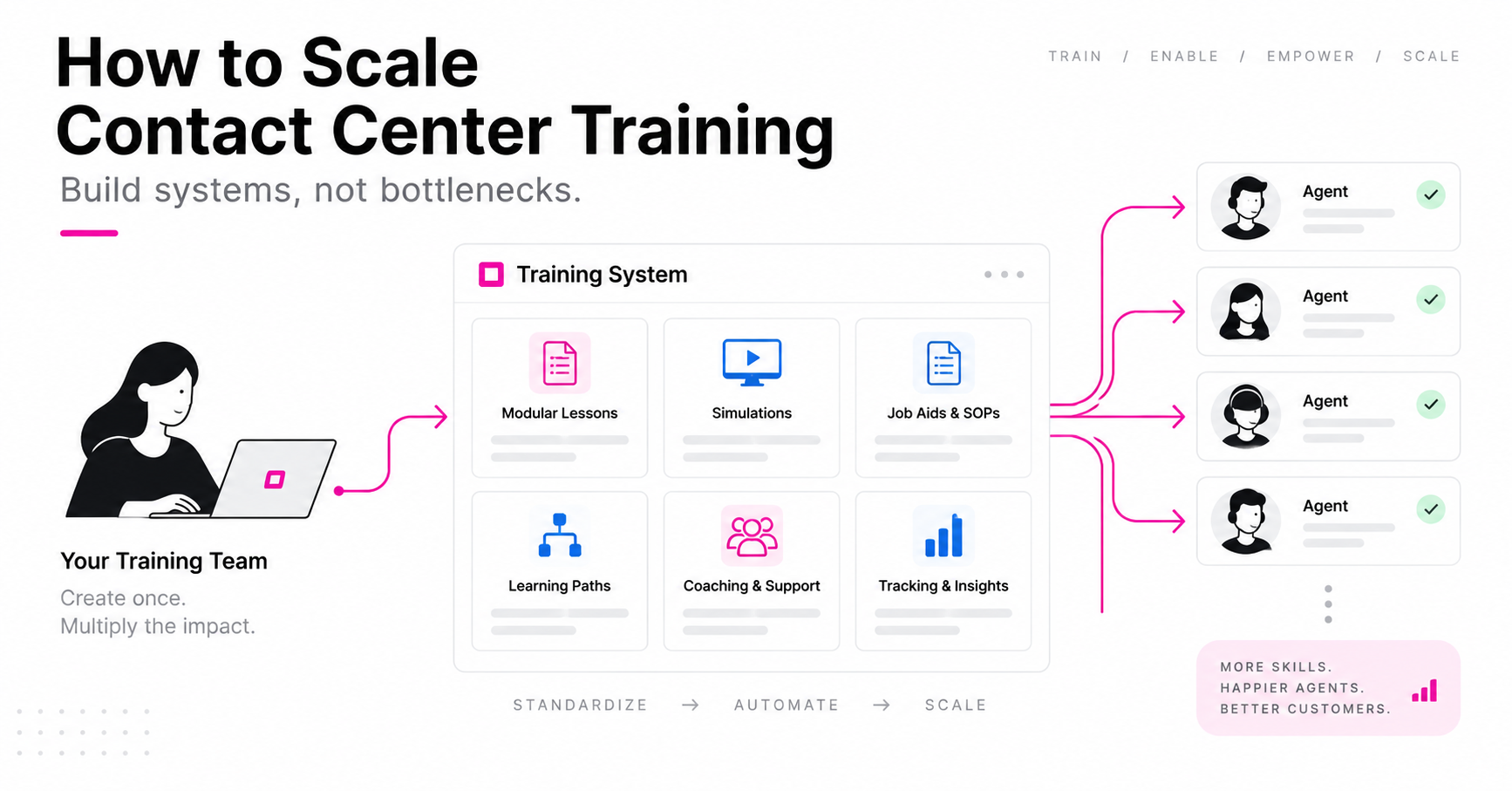
A practical guide to scaling contact center training without adding headcount, featuring proven frameworks from Teleperformance and ResultsCX for reducing attrition, accelerating ramp time, and building scalable agent training programs.
[Book Free Scale Assessment](https://meetings.hubspot.com/sean-adams?uuid=6e383e1c-1b0e-49f9-b1da-2f8d349748e5)
[Learning Hub](https://learning.iorad.com/) → How to Scale Contact Center Training Without Adding Headcount
Chapters
Jump to a chapter ↓
1. [1 How to Use This Guide](https://learning.iorad.com/how-to-scale-contact-center-training-without-adding-headcount#chapter-1)
2. [2 Why You're Here](https://learning.iorad.com/how-to-scale-contact-center-training-without-adding-headcount#chapter-2)
3. [3 Attrition Cost Model](https://learning.iorad.com/how-to-scale-contact-center-training-without-adding-headcount#chapter-3)
4. [4 Simulate / Document / Coach Triage](https://learning.iorad.com/how-to-scale-contact-center-training-without-adding-headcount#chapter-4)
5. [5 30 / 60 / 90 Rollout Plan](https://learning.iorad.com/how-to-scale-contact-center-training-without-adding-headcount#chapter-5)
6. [6 Maturity Self-Audit + Written Brief](https://learning.iorad.com/how-to-scale-contact-center-training-without-adding-headcount#chapter-6)
## 1 How to Use This Guide
Read it front to back. Then come back and work the four tools below with your own numbers. They're the part you can act on this week, and the part worth forwarding to your ops counterpart.
Every framework here is running in production at two of the largest contact center operators in the world. Nothing in it is theoretical.
## 2 Why You're Here
You're here because you likely run training, L&D, or operations for a contact center or back-office team. Thousands of agents, dozens of client systems, onboarding that never really stops, and almost no room for a slow ramp or a quality dip.
Get it right, and you get agents who ramp fast, perform well, and stick around. Get it wrong, and it shows up everywhere: slower ramp times, inconsistent quality, agents who don't make it past their first few weeks.
Most training teams know this. What they don't have is a system that scales with headcount instead of falling further behind it every time the org adds another client, another tool, or another few hundred seats.
Ron Galisanao: "Hundreds of agents, dozens of systems — scale can't be solved by adding L&D headcount alone." Followed by Stephanie Flint's attrition numbers, live.
This guide is the playbook two of the largest contact center operators in the world use to do exactly that — told in their own words, from a live working session.
The format, demonstrated
*This is the medium the rest of the guide is about. Click through it — it takes about a minute, and it explains itself.* [Open full screen](https://www.iorad.com/player/2357006/iorad-explained-by-an-iorad)
### What you'll get out of this
✓ The real before and after numbers from a live attrition intervention (same client, same go-live, same 8 classes — one variable changed)
✓ A framework for deciding what to simulate, what to document, and what to coach as headcount grows
✓ The exact shift that let a non-instructional-designer at Teleperformance ship 5 simulations a day after two days of onboarding
✓ A 5-question self-audit that writes you a focused brief on what to fix first
✓ A practical framework you can apply to your onboarding this week
### Meet the two operators

Teleperformance
#### Ron Galisanao
Global eLearning Design & Development Director
Runs learning strategy across a 500,000+ person, multi-country organization, standardizing training content across every client account and language on the floor.
[Ron on LinkedIn →](https://www.linkedin.com/in/ron-galisanao-72a89a200/)

ResultsCX
#### Stephanie Flint
VP of Global Training & Client Solutions
Leads L&D and instructional design across five global regions (U.S., Philippines, India, LATAM, EMEA) and heads the org's AI training enablement strategy.
[Stephanie on LinkedIn →](https://www.linkedin.com/in/stephanie-flint-aienabled)
Between them, over 40 years of building training for organizations where "scale" means tens of thousands of agents, not hundreds.
## 3 Attrition Cost Model
Training programs lose internal arguments because they're defended in training language. The fastest way to get a rebuild funded is to price the status quo in the currency your ops and finance counterparts already use: cost per hire, multiplied by the agents who don't make it past their first 90 days.
Put your own numbers in. The "with this approach" column models the single-digit early attrition Teleperformance and ResultsCX measured after switching training method — same client, same go-live.
The framework
### Training as a journey, not an event
Most contact center training programs collapse everything into one motion: a course gets built, a class gets run, and the org calls it "trained." That's the gap. Agents adopt a workflow in stages, and each stage needs a different content type — not more of the same content type.
**The five stages below are the operating system.** Every tactic in the rest of this guide hangs off one of them, and the fastest diagnostic you can run on any program is simply: which of these five are we actually covering, and who owns each one?
01 First Exposure "What is this, and why does it matter to me?"
02 Orientation "Okay, I'm in. Where do I start?"
03 Ramp & Practice "I've seen it. But can I actually do it?"
04 Competency "I'm live. Where do I go when I get stuck mid-call?"
05 Reinforcement "It's been three weeks. Can you remind me?"
Here's how Teleperformance and ResultsCX run each one — and what changed when they did.
### The stage map
One owner and one metric per stage. If a row has no name in it, that stage isn't running — it's being hoped for.
| Stage | Agent's question | Content type that works | Typical owner | The metric |
| --- | --- | --- | --- | --- |
| 01 First Exposure | Why does this matter to me? | Teaser, WIIFM summary, client/exec context | Account trainer | Questions asked before day one |
| 02 Orientation | Where do I start? | Sequenced path, prework, sim-backed e-learning | Curriculum lead | Prework completion before live class |
| 03 Ramp & Practice | Can I actually do it? | Click-through simulations, scenario reps | Process owner | Sims built per week; time to first pass |
| 04 Competency | Where do I go mid-call? | In-app guidance, site help button, live mode | Ops + training | Supervisor escalations per agent per week |
| 05 Reinforcement | It's been three weeks… | Weekly nudge, living library, refreshers | Library owner | Early attrition; library freshness |
Agents hired per year
Early attrition, today (%)
Fully loaded cost per hire
Agents lost in first 90 days
600
At your current early attrition rate.
Annual replacement cost
$2.1M
What you are paying today to re-hire and re-train.
Recoverable at \<10% attrition
$1.4M
400 agents who stay instead of leaving.
This is a directional model, not an accounting exercise. It assumes your early attrition is partly a training artifact, which is exactly the claim the Stage 5 experiment below tests. Use it to size the conversation, then bring the real numbers.
## 4 Simulate / Document / Coach Triage
The single most expensive habit in contact center training is treating every new process the same way: a deck, a live session, a PDF in a folder. Most programs don't have a rule, so everything defaults to the most labor-intensive option available.
Here's the rule: Run every new process through it before anyone builds anything.
| If the process is… | Build it as | Because | Cost of getting it wrong |
| --- | --- | --- | --- |
| Clicked in a system, done often, and easy to get wrong | Simulation | Agents need the muscle memory, not the description. Self-paced, no bandwidth dependency, replayable. | Documented instead: agents read it, then ask a supervisor anyway. |
| Rare, reference-shaped, or policy-bound | Document | Nobody builds muscle memory for a quarterly task. They need the fastest path to the answer. | Simulated instead: expensive to maintain, rarely used, goes stale unnoticed. |
| Judgment, tone, empathy, or negotiation | Coach | No screen flow teaches de-escalation. This is the one place live time earns its cost. | Documented instead: a script agents read flatly and customers hear through. |
| A system flow with a judgment call inside it | Simulate + coach | Sim the clicks so live time is spent only on the decision, not the navigation. | One live session covering both: the clicks eat the hour, the judgment gets five minutes. |
| Changing again within 30 days | Hold | Ship a one-line note and wait. Build after the process settles. | Built anyway: you maintain three versions and agents trust none of them. |
Print this. Tape it to the wall where intake requests land. The rule only saves you money if it gets applied before someone starts building.
Stage 1 & 2 · First Exposure and Orientation
## Killing the buffering problem
**The old way:** legacy training video, or live role play, shipped to every site regardless of bandwidth. Agents in lower-bandwidth regions wait out buffering. Sessions are labor-intensive to run live across time zones. A single process update means re-recording, re-shipping, re-training.
**The shift:** click-through simulations agents move through at their own pace, with no buffering, that work identically whether an agent is on a fast connection in one country or a slow one in another.
These two stages get collapsed more often than any others. First Exposure is the one almost everyone skips: a new client or system gets announced, and the next thing an agent sees is a calendar invite. They arrive already resistant, because nobody answered the only question they cared about. Orientation then gets asked to carry both jobs — motivation and instruction — in a single session, and does neither well.
*Ron compares the legacy video / role-play model against click-through simulations — including the bandwidth problem most vendors never mention.*
The template
- If a workflow needs to reach every site regardless of local bandwidth or device, it's a simulation candidate, not a video candidate.
- Build once, ship everywhere — a process update means editing the simulation, not re-recording and redistributing a video file.
- Self-paced doesn't mean lower quality. It means the agent controls the replay, which a live session never allows.
Run it this week
1. Pick your next client launch or system change. Write the WIIFM in one sentence, in agent language, before anything else gets built.
2. Stand up one page per client account that everything links back to — teaser, curriculum, sims, FAQs. One destination, owned by training.
3. Send the teaser and the "why" a week before the invite goes out, not with it.
4. Make the e-learning prework, with sims embedded, so live class time is practice and questions only.
5. Open live class by building on the prework — a quick scenario, a called-on agent walking the screen — so the prework visibly mattered.
Failure modes
- **The invite is the announcement.** If the first thing an agent hears about a change is a training invite, you've skipped Stage 1 and will pay for it in the room.
- **Live time spent on information.** Anything you could have sent, send. Live time is for the things only live time can do.
- **Content fragmented across four places.** Every surface should point back to one destination, or nobody can find anything twice.
- **Bandwidth assumed.** A program that works in one region and buffers in another isn't a program, it's a pilot.
Stage 3 · Ramp & Practice
## Content creation stops requiring an instructional designer
This is the stage that decides whether your training content production can actually keep pace with headcount growth. If every new simulation requires a dedicated instructional designer, you will always be behind.
It's also the stage where the org's real constraint gets misdiagnosed. When content can't keep up, the request that goes up the chain is almost always for more headcount. The actual constraint is usually build time per asset — and that's a tooling and permissions problem, not a staffing one.
5 / day
Simulations shipped by someone at Teleperformance with **no instructional design background** — after two days of onboarding.
300–400
Simulations in the ResultsCX library, built the same way — **not by a specialized content team**, but by the people closest to the process.
*Stephanie walks through a simulation she personally built and shipped.*
The template
- Whoever owns the process should be able to build the training for it. If content creation requires a specialist hand-off, it will always be a bottleneck.
- Measure build time in minutes per simulation, not hours per course. If it's not fast enough for one person to build several a day, the tooling is the constraint, not the team.
- A 300+ simulation library isn't a headcount problem if build time is low enough. It's a volume problem, and volume is solvable.
Run it this week
1. Time yourself building one simulation of a real workflow, end to end. That number is your baseline, and it's the number to defend in front of ops.
2. Name two people outside your ID team — a supervisor, a senior agent, a process owner — and give them build access.
3. Give them the same onboarding Teleperformance gave theirs: two days, then ship.
4. Set a weekly build target per builder. Volume is the point; perfect is the enemy of a library that exists.
5. Publish a one-page standard — naming, length, mode, masking of client data — so distributed building doesn't become inconsistent building.
Failure modes
- **Centralizing to protect quality.** A queue in front of one ID team is the bottleneck, whatever the intent. Standards scale; hand-offs don't.
- **Sims as long as courses.** Five steps, a minute to complete. If it's 40 steps, it's three sims.
- **No masking standard.** Client data in a training asset is the fastest way to lose the right to build them at all.
- **Practice with no consequence-free space.** If the only place to practice is production, agents won't practice.
Built by someone who is not an instructional designer
*Ten steps, captured on an unrelated tool. The point is who built it and how long it took, not the subject matter.* [Open full screen](https://www.iorad.com/player/2742540/Claude---How-to-upload-skills)
Stage 4 · Competency
## Help lives where the work happens, not in a portal
An agent who has to leave their live tool to go find help in an LMS or a wiki has already lost the call. The fix isn't a better knowledge base. It's guidance available inside the actual screen the agent is working in, at the moment they need it.
This is also the stage that quietly decides your supervisor ratio. Every question an agent can't answer for themselves becomes a tap on a supervisor's shoulder, and supervisor time is the most expensive coaching capacity on the floor. Self-serve isn't a convenience feature — it's how you get that time back for the coaching only a human can do.
*A live walkthrough inside a real CRM screen — the guidance appears directly on top of the actual workflow, step by step, not as a separate document to reference.*
### The eight surfaces
Interactive tutorial content doesn't live in one place. In a mature program the same asset shows up everywhere the agent already works — built once, deployed eight times.
Slack / Teams
The answer to a question, as a link — every time.
Knowledge articles
Embedded in the article, not described by it.
SOPs
The clickable version of the written procedure.
Job aides
Desk-side reference for the rare workflows.
Quick-start guides
Day-one path for a new account or system.
AI content hubs
Structured source your AI layer can actually cite.
AI chat bots
Bot answers with a walkthrough attached.
In-app extensions
Help button on the screen itself. Zero friction.
The template
- If agents have to context-switch out of their live tool to get help, the help is in the wrong place.
- One piece of guidance content, deployed to every surface agents actually use — not five different versions maintained separately.
- "Where's the SOP?" should have the same answer as "how do I do this step right now?" Same content, different entry points.
Run it this week
1. Ask three supervisors for the five questions they answer most. That's your first five in-workflow assets, ranked by real demand.
2. Turn each into a walkthrough that opens on the screen where the question happens.
3. Make "here's the walkthrough" the standard answer in chat. Resist explaining it instead — the habit only forms through repetition.
4. Reserve live guidance mode for high-frequency, high-stakes flows only; it's powerful and it's maintenance-heavy.
5. Track which questions stop arriving. That's your adoption metric, not course completion.
Failure modes
- **Being the heroic responder.** Answering fast in chat feels helpful and permanently prevents self-serve from forming.
- **Help behind a login.** Every extra click between question and answer loses a share of agents. Aim for one.
- **Converting everything to live mode.** Pick the workflows where it pays for itself; use click-through for the rest.
- **Measuring completion.** Completion says content was consumed. Escalation volume says whether anything changed.
Live mode · guidance in the flow of work
*Guidance running on top of a live Salesforce screen. This is the difference between a portal an agent has to visit and help that arrives where the work is.* [Open full screen](https://www.iorad.com/player/2370131/iorad---live-mode-explainer)
Stage 5 · Reinforcement
## The number that proves the system works
Everything above is process. This is the outcome.
**Same client. Same go-live. Same 8 classes on each side.** One class ran the legacy training approach. One ran on simulation-based training built the way this guide describes. The only variable that changed was the training method.
Without this approach
30–31%
Early attrition, legacy training
With this approach
\<10%
Early attrition, simulation-based training
That gap is the cost of training that doesn't scale, made visible in a single number.
It's also the most repeatable experiment in this guide. You don't need a program-wide rebuild to run it — you need two classes onboarding onto the same account at the same time, one on your current method and one on simulations, and the discipline to leave everything else alone. That design is what makes the number defensible when someone asks whether it was really the training.
Lessons learned along the way, in their words
> "Don't confuse complexity with effectiveness — maintenance is part of the true cost."
> "Technology should enable the strategy, not become it."
> "Can we build it, maintain it, update it, and deploy it repeatedly?" The real test of whether a training approach scales, versus whether it just worked once.
### The library health check
Reinforcement is where most programs quietly die. One outdated asset and agents stop trusting the whole library — then they go back to asking a supervisor, and every gain above reverses. Run this monthly, on a calendar invite, and treat it as an operating metric rather than a side project.
Monthly
- Every asset touched by a system change in the last 30 days is updated or retired — no third state.
- One nudge per week shipped: one feature or workflow, one asset, four surfaces.
- Top 10 most-used assets re-walked by their owner to confirm the screens still match.
Quarterly
- Zero-view assets reviewed: wrong content, wrong place, or genuinely unnecessary?
- Escalation themes compared against library coverage — the gap list writes your build queue.
- Owner named for every account's library. Unowned libraries go stale by default.
## 5 30 / 60 / 90 Rollout Plan
Nothing here requires a budget cycle or a steering committee. The sequence matters more than the speed: prove it on one account, make the number defensible, then scale the method rather than the team.
| Window | Do this | Evidence you're generating | Who you need |
| --- | --- | --- | --- |
| Days 1–30 | Pick one account and one high-volume workflow. Build 10–15 simulations. Give two non-ID people build access. Baseline your build time and current early attrition. | Build time per asset, before and after. A library that exists. | One account trainer, two process owners, whoever approves tooling. |
| Days 31–60 | Run the two-class experiment on the next go-live. Embed sims as prework. Deploy the top five to in-workflow surfaces. Make "here's the walkthrough" the standard chat answer. | Early attrition and ramp time, class versus class. Escalations per agent per week. | Ops manager for the account, three supervisors, client-side sponsor if data is shared. |
| Days 61–90 | Write the one-pager below with real numbers. Publish the triage rule at intake. Start the weekly nudge and the monthly health check. Name a library owner per account. | A costed business case, and a method that runs without you in the room. | Your director, finance or WFM for cost per hire, account leadership. |
The internal sell
### The one-pager that gets this funded
Six blocks, one page, no training jargon. Fill them in with the numbers from the cost model and the class experiment, and you have the whole argument in the language ops and finance already use.
01 · The number
Early attrition costs us **\[cost model output\]** a year in replacement cost alone.
02 · The claim
A measurable share of it is a training artifact — and two operators at our scale have already proven that.
03 · The evidence
Same client, same go-live, 8 classes each side: 30–31% versus under 10% early attrition.
04 · The ask
Tooling and build access for **\[n\]** people on one account for 90 days. No new headcount.
05 · The proof plan
The two-class experiment on the next go-live, with attrition and ramp reported class by class.
06 · The downside
One account, 90 days, reversible. The cost of not running it is the number in block 01, again next year.
One note on the client conversation: at a BPO, faster ramp and lower attrition are commercial arguments, not just internal ones. Bring the same page to your client QBR and it reads as capability, not cost-cutting.
## 6 Maturity Self-Audit + Written Brief
### Score your own program
Five questions, pulled directly from the framework above. Answer honestly — this isn't a quiz you're supposed to ace. At the end you get a tier, the stage to fix first, and a written brief you can download or send to your team.
Contact center training maturity scorecard
0 of 5 answered
01
#### Attrition trend
Is early (first 90-day) attrition trending down, flat, or up over the last year — based on actual data, not a gut sense that "training's fine"?
Trending down, and we track it
Flat, or we're not sure
Up, or we don't measure it
02
#### Build time
How long does it take your team to build and ship one new training module today — weeks, or months?
Days or less
A few weeks
A month or more
03
#### Simulate vs. document vs. coach
Do you have a clear rule for which content type a new process gets? Or does everything default to a slide deck and a live session, regardless of what the workflow actually needs?
Clear rule, applied consistently
Rule exists, loosely followed
Everything defaults to deck + session
04
#### Real-tool exposure
Are your agents clicking through the actual tools they'll use before their first live interaction — or only reading or watching something about them?
They click through, every time
Some workflows, not all
They read or watch only
05
#### Headcount dependency
If agent headcount grew 20% next quarter, could your content production keep pace without adding L&D staff?
Yes, comfortably
Maybe, with strain
No — we'd need more people
Answer all five to see your tier, your one-line diagnosis, the stage to fix first, and your downloadable brief.
Your tier
0 of 10
Fix this first
Your 30 / 60 / 90
Your brief includes your tier, every answer scored, the stage to fix first, your 30 / 60 / 90, and the questions to bring to your ops counterpart.
Download my brief
Email it to my team
Start over
Downloads as a print-ready HTML file. Nothing is sent anywhere — it's generated in your browser.
Reference
### The maturity model, stage by stage
Where your program sits on each stage, in plain terms. Most organizations are not one tier across the board — the useful read is the row with the biggest drop.
| Stage | At Risk | Reactive | Systemized |
| --- | --- | --- | --- |
| First Exposure | The training invite is the announcement. | A heads-up email, sometimes, when there's time. | Teaser and WIIFM shipped before the invite, every launch. |
| Orientation | One live session covers everything. | A deck plus a session; prework optional in practice. | Sequenced path, sim-backed prework, live time for practice only. |
| Ramp & Practice | First real practice is a live customer. | Some sims exist; one ID team is the queue. | Process owners build; minutes per asset; several a day. |
| Competency | Help is a supervisor's shoulder. | A knowledge base agents have to go find. | Guidance on the screen, one click, in the tool. |
| Reinforcement | Content ages out; nobody owns it. | Updated when something visibly breaks. | Weekly nudge, monthly health check, named owner per account. |
### What to do Monday
If you only take five actions out of this guide, take these. None of them need approval.
1. 01 Run the cost model with your real cost per hire, and send the output to one person in ops. Not a proposal — a number.
2. 02 Ask three supervisors for the five questions they answer most. That list is your build queue, ranked by demand.
3. 03 Time yourself building one simulation, end to end. Write the number down. That's your baseline and your argument.
4. 04 Give one non-ID person build access and a target of five assets this week.
5. 05 Find the next go-live with two or more classes and claim it for the experiment before the rosters are locked.
### Where to go from here
None of this requires ripping out what you have. It requires being honest about which of the five stages above your program is actually covering, and which ones are quietly missing.
If your self-audit turned up a gap, we'll look at it with you directly: a free 30-minute working session where we walk through your current training setup and show, live, how two or three of the tactics above would apply to your specific gaps. Not a product demo — a strategy session that happens to use the same approach Teleperformance and ResultsCX are running today.
[Book your free Scale Assessment](https://meetings.hubspot.com/sean-adams) [▶ Watch the full session](https://www.youtube.com/watch?v=s3jWeLPT20Y)
30 minutes. You leave with a written strategy doc either way.

#### Support
- [Help Center](https://www.iorad.com/resources/help-center)
- [Learning Hub](https://learning.iorad.com/)
- [Schedule Demo](https://www.iorad.com/demo)
- [Releases](https://www.iorad.com/release)
- [FAQ](https://www.iorad.com/faq)
#### Pricing
- [Business](https://www.iorad.com/pricing/business)
- [Education](https://www.iorad.com/pricing/education)
- [Non-Profit](https://www.iorad.com/pricing/non-profits)
#### Company
- [About](https://iorad.com/about)
- [Leadership](https://www.iorad.com/leadership)
- [History](https://www.iorad.com/history)
- [Culture](https://www.iorad.com/culture)
- [Careers](https://www.iorad.com/careers)
#### Explore iorad
- [What is iorad](https://www.iorad.com/tutorialbuilder)
- [Features](https://www.iorad.com/features)
- [Compare iorad](https://www.iorad.com/compare)
- [How to use iorad](https://learning.iorad.com/use-cases)
- [Testimonials](https://www.iorad.com/testimonials)
#### Connect
- [Partners](https://www.iorad.com/partner-programs)
- [Integrations](https://www.iorad.com/connectIntegrations)
- [Helping Hands](https://www.iorad.com/helping-hands)
- [Services](https://www.iorad.com/services)
- [Adoption Curve](https://learning.iorad.com/the-adoption-curve)
#### Fine Print
- [Terms of use](https://www.iorad.com/termsconditions)
- [Privacy Policy](https://www.iorad.com/privacypolicy)
- [Cookie Policy](https://www.iorad.com/cookiepolicy)
- [Accessibility](https://www.iorad.com/accessibility)
- [System Status](https://status.iorad.com/)
© Copyright 2026 – iorad Inc. All rights reserved.
[/LinkedIn.png)](https://www.linkedin.com/company/iorad) [/Facebook.png)](https://www.facebook.com/iorad) [/Instagram.png)](https://www.instagram.com/iorad) [/YouTube.png)](https://www.youtube.com/@iorad) [/Twitter.png)](https://twitter.com/iorad)
```json
{
"@context" : "https://schema.org",
"@type" : "BlogPosting",
"author" : {
"@type" : "Person",
"name" : "Andy Johnson",
"url" : "https://learning.iorad.com/author/andy-johnson"
},
"dateModified" : "2026-09-21T20:53:38.937Z",
"datePublished" : "2026-09-18T20:55:25.000Z",
"headline" : "How to Scale Contact Center Training Without Adding Headcount",
"image" : [ "https://learning.iorad.com/hubfs/How%20to%20scale%20contact%20center%20training.png" ],
"mainEntityOfPage" : {
"@id" : "https://learning.iorad.com/how-to-scale-contact-center-training-without-adding-headcount",
"@type" : "WebPage"
},
"publisher" : {
"@type" : "Organization",
"logo" : {
"@type" : "ImageObject",
"url" : "https://learning.iorad.com/hubfs/iorad_logo_colour_2021%20(1).png"
},
"name" : "iorad"
}
}
```